Description
Features
ROTK and ZEMU
- Works on ROTK (Return of the Kill, the final 2019 King of the Kill client) and on ZEMU (zemu.uk, the 2017 Pre-Season 3 client)
- One download for both: it sees which client is running and reads it the right way, with nothing to set
- ZEMU has its own reader and its own bullet physics, measured on ZEmu, and your shots there are learned apart from ROTK
- On ZEMU: player ESP, loot ESP, aimbot, triggerbot, clear shot check, squad list and both radars
- ROTK only: enemy health bars and the spectator count, because the ZEmu server never sends them
Aimbot
Aim
- Moves your aim through a MAKCU, KMBox, Ferrum or Arduino, so the game only sees a normal mouse
- Field of view from 1 to 30 degrees, with an optional FOV circle
- Smoothing from 0 (snaps straight on) to 100 (slow and human)
- Reaction delay of 0 to 500 ms before locking a new target
- Two aim keys, each Hold, Toggle or Always
- The second key and close range (3 to 100 m) each carry their own field of view, smoothing, reaction and bones
- Weapon profiles: one set for every gun, per class or per gun, following the gun in your hands
- Aims from the screen centre and stays right on any resolution: 16:9, 21:9 or stretched
Bones
- 16 bones, neck included, picked by region or one by one on the player model
- Hit zone size for the head, torso and limbs
- Bone radius overlay that draws each hit zone
Prediction and checks
- Bullet prediction for travel time and drop, learned from your own shots
- Prediction dot: where to aim so the bullet meets their head
- Clear shot check: only aims at bones with nothing in the way
- Never aims at anyone on your squad list
Triggerbot
- Clicks the moment your crosshair crosses a target bone
- Its own key, field of view (0.5 to 15 degrees) and list of bones that count
- Delay before the click, how long each click is held and the gap between bursts
- Keeps firing while you stay on target, or aim assist only with no clicks
- Per gun or per class settings
- Built-in aim assist with its own field of view, smoothing and reaction
- Clear shot check, and never fires at anyone on your squad list
Auto helmet and armour
- When your helmet or vest breaks, the spare in your first inventory slot goes on by itself
- Opens the inventory, clicks that slot and closes it again, through your mouse controller
- Set the slot once: rest your cursor on it and the overlay shows the pick live
- Helmet and vest each on or off, plus a swap key to do it yourself
- Aim and trigger pause while it swaps
- Needs your inventory on a second key in game: middle mouse, mouse 4 or mouse 5
Squad list
- Friends list by name, saved with your config
- Point at a player and tap the trust key to add them for this session, tap again to remove
- Clear key to empty the session list between matches
- Add anyone from the list of players on the server, no typing
- Squad members get teammate colours, show as friendly on both radars and are skipped by aim
Player ESP
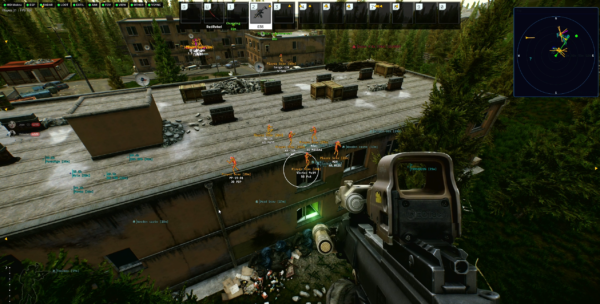
Enemies and your squad are set up separately, each feature with its own colour, and a live preview in the menu shows the result.
Shape
- Box: full, corners or filled, with thickness, corner length and fill opacity
- Skeleton with its own thickness
- Head dot
Health
- Health bar coloured by health, a gradient or one fixed colour (ROTK)
Text
- Name and distance, each with its own size
- The gun in their hands: its name, its icon or both
Finding them
- Players your camera can see switch to their own colour
- Snap lines from the bottom, the crosshair or the top of the screen
- Offscreen arrows that point at players you cannot see, with size and ring distance
- Distance limit up to 2000 m
- Hide dead players’ bodies
Loot ESP
- 79 items in eight categories: weapons, ammo, medical, armour, gear, throwables, vehicles and crates
- Every item with the game’s own picture, its own switch and its own reach
- Each category in its own colour and range: items out to 1000 m, vehicles and crates out to 2000 m
- Backpacks and armour by type, and every vehicle
- Clothing on one switch, so the junk stays hidden
- Search any item, show or hide a whole category
- Piles stack into one label
- Picture, name and distance each on or off, with text size and a toggle key
Spectator count (ROTK)
- How many are watching, read from the server and shown at the top of your screen
Web radar
- The full King of the Kill map in any browser, on your phone or a second screen
- Every player with the way they face, teammates and enemies in their own colours, dead players marked
- Loot on the map with item pictures, plus an item list with search, sorted by distance
- Tap a player or an item for its distance, height and status
- Follow a player, zoom and pan, or rotate the map with them
- Local network, or a public link through Cloudflare, with an optional password
Overlay radar
- The King of the Kill map under the dots, with map opacity
- Loot with item pictures, using your loot ESP filters
- Square or circle, any size, dragged anywhere on screen
- Range out to 2000 m, rotate with your view or keep north up
- Tracers to every enemy: solid, dashed or dotted
- Follows your camera while you are dead or spectating
Overlay and performance
- Frame rate and DMA latency readout
- Overlay frame cap and read rate control
- Game resolution setting and monitor choice
Controls
- Every key in the menu works from either PC, menu key included
- Hide the mouse side buttons from the game
- Find device and a circle test for your mouse controller
Hardware
- MAKCU
- KMBox Net
- KMBox B Pro
- Ferrum
- Arduino
- All major DMA cards, including 35T, 75T, 100T, Captain DMA and RaptorDMA
Configs
- Create, save, load and delete named configs
- Protected default config
- Saves as you change things
- Updates itself on launch