Description
Vendex – Features & System Requirements
1. Features
Aimbot & Targeting
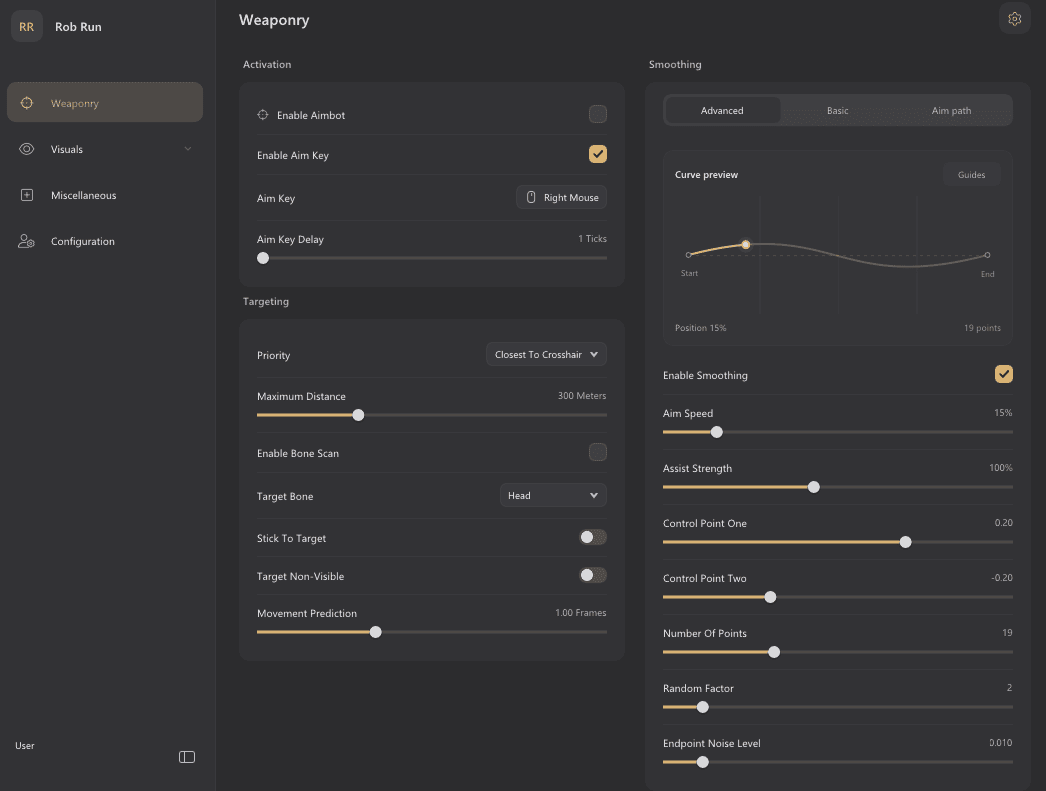
- Optional Aim Key with configurable activation delay
- Five target prioritization modes: Crosshair, Bone, Distance, Health and FOV
- 22 selectable target bones with Bone Scan functionality
- Stick-to-Target control
- Optional targeting of non-visible players
- Adjustable maximum targeting distance (25–1,000 metres)
- Role-based targeting for Cops and Criminals
- Individual target filters for Cops, Criminals, Civilians, Prisoners and other roles
- Aim at Knocked toggle (disabled by default)
- Exclusion filters for clanmates, party members and battle teammates
- Automatic movement tracking for vehicle occupants
Smoothing & Aim FOV
- Independent Smoothing toggle
- Three smoothing views: Basic, Advanced and Aim Path
- Basic smoothing profiles: Smooth, Balanced and Aggressive
- Adjustable Basic Smoothing Strength (1–100%)
- Optional Humanized Smoothing
- Advanced Aim Speed (1–100%)
- Adjustable Assist Strength (25–200%)
- Customizable Bezier control points
- Configurable Number of Points, Random Factor and Endpoint Noise Level
- Built-in Path Visualizer
- Separate Assist Path and Assist Point visibility controls
- Customizable path colour and fade duration (0–3 seconds)
- Configurable Targeting FOV with visibility, radius and colour settings
- Dynamic ADS Targeting FOV with an adjustable 0–5× multiplier
Player ESP & Role Identification
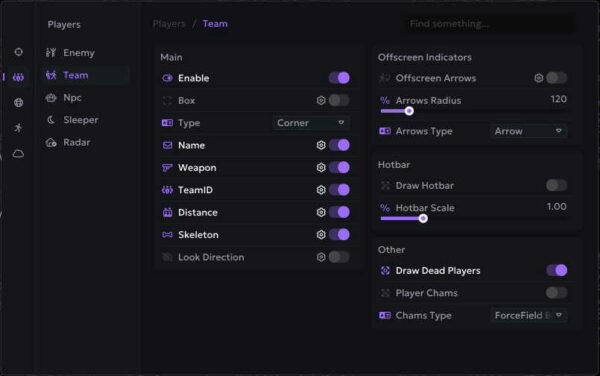
- Outline Box ESP
- Corner Box ESP
- Filled Box ESP
- Skeleton ESP
- Player Names
- Held Item and Equipment Display
- Player Distance Display
- Health Bars and Health Percentage (when available)
- Role Identification: Cop, Criminal, Civilian, Prisoner, Other and Unknown
- Customizable role colours across player overlays and directional indicators
- Individual display filters for Self, Target and Non-Target / Allies
- Criminals Only filter
- Ignore Non-Visible option
- Adjustable player render distance (up to 200 metres)
- Armour Presence Indicator
- Armour segment count when detailed armour information is available
- Estimated Loadout Value when inventory data is accessible
- Drag-and-drop ESP label positioning
- Selectable preview role for layout customization
- Adjustable font size (10–15)
- Preview zoom control (40–120%)
- Preview Skeleton Smoothness adjustment
- Preview zoom in, zoom out and reset to 100%
- Reset Layout function that preserves enabled ESP elements
Loot, Vehicle & Grenade ESP
- Drawers and Containers
- Loose Loot
- Loot Bags
- Loot Nodes
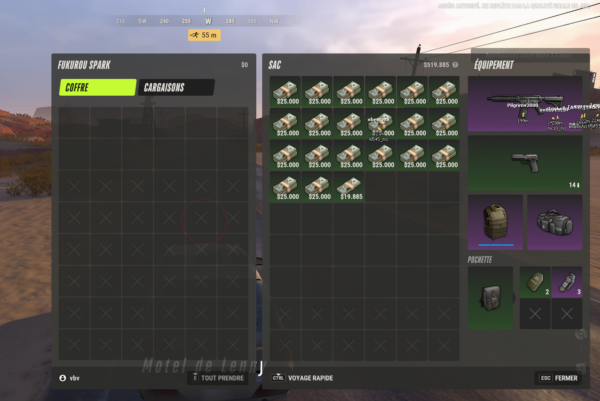
- Cash
- Cargo
- Vehicles, including Cars and Helicopters
- Grenade ESP
- Individual Dot Marker controls
- Separate Name, Distance and Value Label visibility settings
- Adjustable item render distance (up to 300 metres)
- 2D Outline Boxes
- 3D Outline Boxes
- 3D Filled Boxes
- Box rendering depends on available object boundaries
Loot Values & Colour Customization
- Estimated Loot Values (~$)
- Exact Cash Amounts ($) when known
- Loose Loot Stack Totals
- Available Loot Node Unit Prices (/item)
- Preview Container Values for eligible nearby unopened containers
- Minimum Loot Value filter
- Separate Show Unpriced Loot option
- Hide Empty toggle for collected or unavailable loose pickups
- Automatic omission of unavailable prices rather than displaying estimated totals
- Container and Loot Bag totals based on available inventory data
- No assumed total values for Cargo
- Three colour modes:
- By Value
- By Loot Type
- Single Color
- Five customizable loot-value colour ranges:
- Under $1,000
- $1,000–$4,999
- $5,000–$9,999
- $10,000–$24,999
- $25,000+
- Separate colours for Unpriced Loot, Empty Loot, Vehicles and Grenades
Homestead ESP
- Homesteads at Any Distance for locating known bases beyond the detailed render range
- Independent Detail Distance setting (up to 1,000 metres)
- Homestead List with Owner and Clan search
- Distance-sorted Homestead entries
- Movable, scrollable and collapsible Homestead List
- Adjustable Information Opacity (10–100%)
- Owner Names and Clan Tags
- Distance Labels and Dot Markers
- Individual filters for My Homestead, Clan Homesteads and Other Homesteads
- Separate colours for each Homestead category
- Available Homestead state identification, including Locked, Construction and Moving
- Available raid information, including:
- Building Counts
- Armed and Raided Defenses
- Raid Locks
- VIP Status
- Available Building Door States
- Defense Block Status
- Homestead Summary controls
- Individual Object Label controls
Machine & Storage Filters
- Crypto Machines
- Laundering Machines
- Production Machines
- Cargo Opening Machines
- Cargo Exchange Machines
- Cargo Charging Machines
- Safes
- Built-in Containers
- Other Storage
- Shelving
- Buildings
- Defense Blocks
- Building Loot
- Garage
- First Aid
Additional Homestead Information
- Individual Object-Type Colours
- Available Workbench Cargo Information
- Production Output and Machine Status
- Building Loot Cargo-Presence Labels
- Available Disappearance Timers
- Raid Lock Countdown
- Laundering Countdown
- Production Countdown
- Cargo Opening and Exchange Countdowns
- Crypto Status Labels
- Cargo Charging Status Labels
- Storage Total Value for Safes, Built-in Containers and Other Storage when contents are available
- Preview Storage Values for eligible nearby storage when supported by game data
Note: Distant markers retain known Homestead information. Detailed objects, machine states and inventories require the relevant game data to be loaded.
Radar & Awareness
- Customizable Player Radar
- Adjustable Radar Size and Scale
- Configurable Player Blip Radius
- Compass Bar with adjustable Width and Range
- Player and Team Marker controls
- Directional Compass with FOV Clamping
- Distance-Based Indicator Scaling
- Adjustable Compass Radius and Indicator Scale
- Off-Screen Player Indicators
- Directional Arrows
- Adjustable Off-Screen Marker Size (16–64 px)
- Configurable Screen Padding (0–120 px)
- Optional Distance-Based Marker Scaling
- Snaplines with Top, Center and Bottom anchor positions
- Adjustable Snapline Thickness
- Friendly, Enemy and Visible Target Filters
- Custom Role Colours across Radar, Compass and Off-Screen Markers
- Threat Warning Widget with adjustable Width
HUD & Crosshair
- Ten Crosshair Presets
- Customizable Crosshair Colours
- Adjustable Crosshair Gap, Length, Thickness and Rotation
- Optional Constant Crosshair Rotation
- FPS Display Widget
- Independent Frame History toggle
- Automatic or Manual Width settings for compact FPS and Frame History displays
- Weapon Name Widget with automatic or manual Width
- Loaded Ammunition Display when weapon data is available
- Health Bar Widget with adjustable Width
- Adjustable Widget Opacity (20–100%)
- Movable HUD Elements
- Layout Snapping
- Reset Layout functionality
Camera & Lighting
- Adjustable Camera FOV Override (60°–140°)
- Sun Color toggle with customizable colour
- Fullbright functionality
- Adjustable Fullbright intensity (1–6×)
- No Fog toggle
Vehicle Cosmetics
- Customizable Tyre Smoke Colours
- Rainbow Tyre Smoke Mode
- Extended Skid Trails
- Adjustable Skid Trail Lifetime (1–30 seconds)
- Vehicle Model Selector using the current in-game vehicle catalogue
- Local Driver Cosmetic Modifications
- Original Vehicle Handling, Collision and Seat Functionality Retained
- Automatic restoration of original visuals when disabled, leaving the driver’s seat or switching vehicles
Movement & Bullet Tracers
- Bunny Hop functionality
- Optional Bunny Hop Hold Key
- Automatic Bunny Hop when no key is assigned
- Speed Modifier toggle
- Adjustable Local Speed Multiplier (0.5×–4×)
- Server-side corrections may limit the effective speed
- Customizable Bullet Tracer Colours
- Adjustable Tracer Duration (0.2–3 seconds)
- Adjustable Tracer Thickness (0.5–4)
- Optional Bullet Impact Markers
- Independent Impact Marker Colours
Interface & Customization
- Light, Dark and System Menu Themes
- Customizable Interface Accent Colour
- Adjustable Interface Scaling (75–200%)
- Customizable Menu Shortcut
- Adjustable Interface Animation Timing (100–500 ms)
- Rainbow Colour Picker Mode
- Adjustable Rainbow Speed and Saturation
- Background Blur toggle
- Adjustable Background Blur Amount
- Solid Background fallback when blur is unsupported
- HDR Display Mode
- SDR Overlay Brightness Controls
Configuration Profiles
- Create and Save Named Configurations
- Load Configurations through the Profile Browser
- Delete Saved Profiles while retaining the Default Profile
- Save Targeting Filters and Aimbot Settings
- Save Smoothing Configurations
- Save Role Colours and Loot ESP Settings
- Save Homestead ESP Configurations
- Save Character Outfit Selections
- Save Vehicle Cosmetic Settings
- Maintain Separate Aim, Visual and HUD Configurations
Skin Changer & Character Outfits
- Enable / Disable Skin Changer
- Separate Male Outfit and Female Outfit Selectors
- Save Outfit Selections within Configuration Profiles
- Local Character Appearance Modifications
- Appearance Changes Visible Only to You
- Automatic Restoration of Original Appearance when disabled, changing characters or leaving the session
Note: Head, Hair, Accessories and First-Person Arm Meshes are not included in the Outfit Selector.
2. System Requirements
Windows Compatibility
Windows 11
| Version | Build | Compatibility |
|---|---|---|
| 25H2 | 26200 | ✓ |
| 24H2 | 26100 | ✓ |
| 23H2 | 22631 | ✓ |
| 22H2 | 22621 | ✓ |
| 21H2 | 22000 | ✓ |
Windows 10
| Version | Build | Compatibility |
|---|---|---|
| 22H2 | 19045 | ✓ |
| 21H2 | 19044 | ✓ |
| 21H1 | 19043 | ✓ |
| 20H2 | 19042 | ✓ |
| 2004 | 19041 | ✓ |
| 1909 | 18363 | ✓ |
| 1903 | 18362 | ✓ |
| 1809 | 17763 | ✓ |
| 1803 | 17134 | ✓ |
| 1709 | 16299 | ✓ |
| 1703 | 15063 | ✓ |
| 1607 | 14393 | ✓ |
| 1511 | 10586 | ✓ |
| 1507 | 10240 | ✓ |
Compatibility Legend: ✓ = Supported
Additional Requirements
| Specification | Details |
|---|---|
| Cheat Type | Internal |
| Processor Compatibility | Intel & AMD |
| Supported Window Modes | Fullscreen, Windowed & Borderless |
| Supported Platform | Steam |
| Built-in Spoofer | Not Available |
Vendex
Features, customization and system specifications