Description
Serenity – Features
==================================================
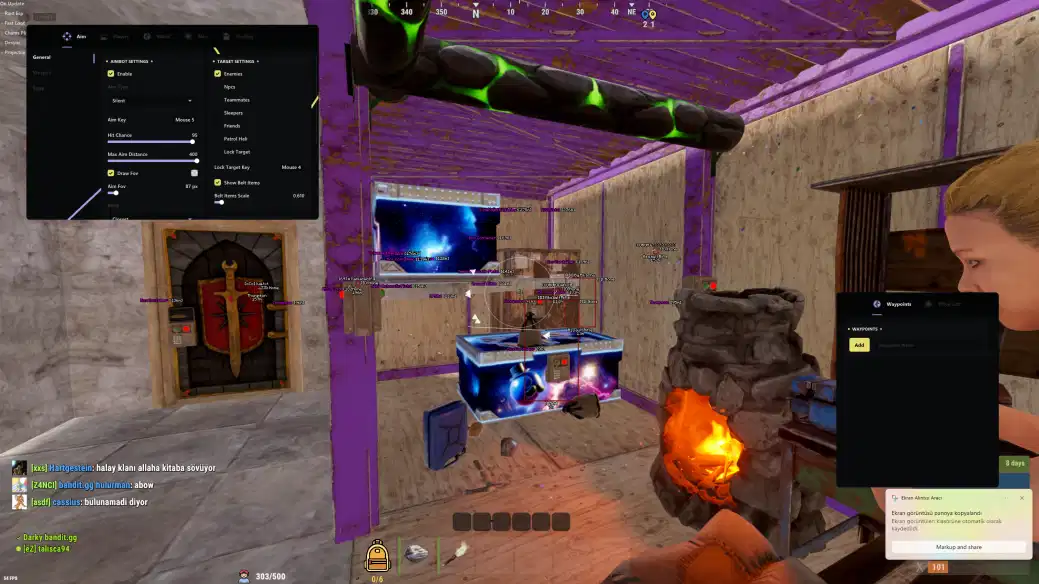
• Aimbot (Silent / Memory)
– Memory Aim – this type of aimbot is aimed using data from the game’s memory
– Smooth – smoothness of Memory Aim movements, higher value – less sharp aim
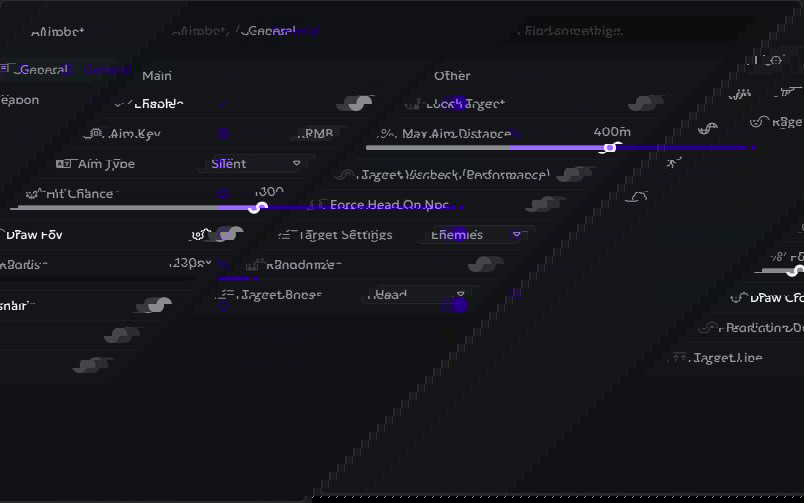
– Aim Key – select a key to activate aim (hold)
– FOV (Draw FOV, Color) – the size of the aim’s working area, the ability to draw it on the screen and change the color
– Target Line – mark the current aim target with a line
– Lock Target (Key) – when you press this key, the aim will be fixed on the current target until the fire stops or the target is destroyed
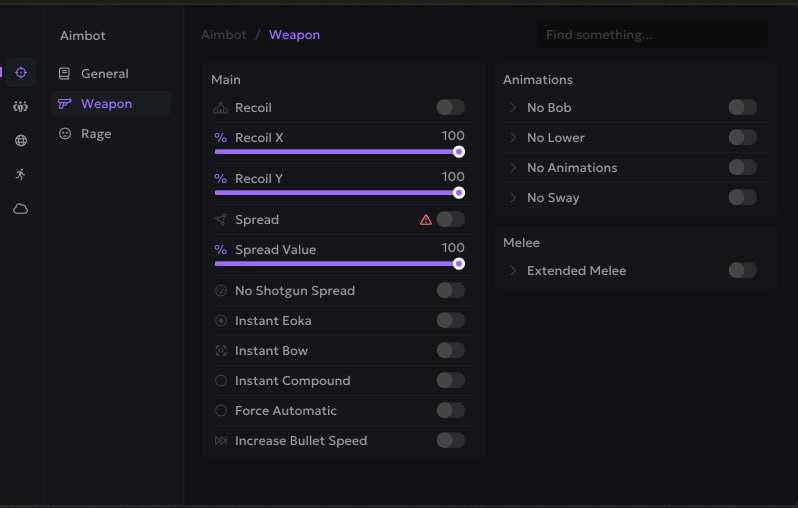
– Recoil Modify (X / Y Value) – settings to reduce weapon recoil (RCS)
– Spread Modify – settings to reduce spread when shooting
– No Animation – remove shooting animation
– No Shotgun Spread – disable spread on shotguns, all bullets hit one point
– Hitsound (Skeet/NL/Bubble) – sound when hit by a shot
– Desync
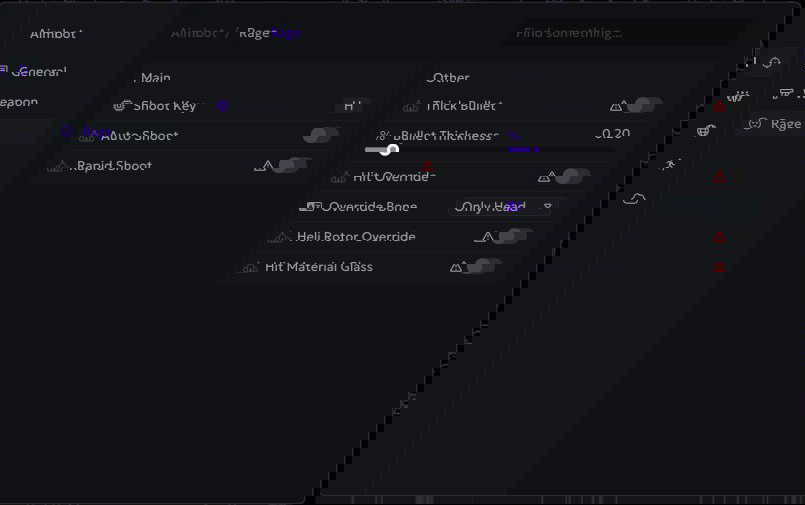
– Fat Bullet – big bullets
– Rapid Fire
– Instant Hit – bullets instantly reach the target
– Increase Bullet Speed - Increase the rate of fire
– Silent Aim – a powerful type of aim, bullets hit the target in the FOV radius, but the sight and camera are stationary
– Max Distance – range of aiming
– Prediction Dot – a dot showing where the aimbot will aim if you open fire from the current position
– Targets (Enemies, NPCs, Teammates, Sleepers, Friends) – selecting targets for aim
– Fast Eoka – insta shot with eoka
– Bone – hitboxes that the aim will shoot at
– Hit Material – hit animation texture
– Force Automatic – shoot any weapon in automatic mode
• Player ESP (WH)
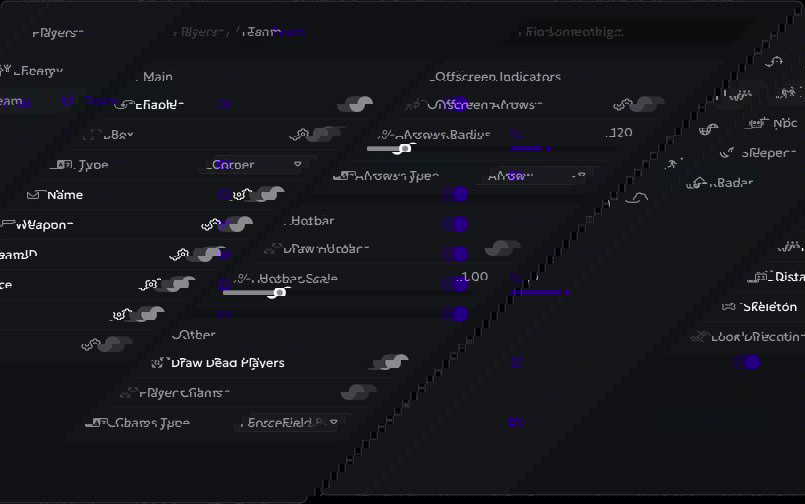
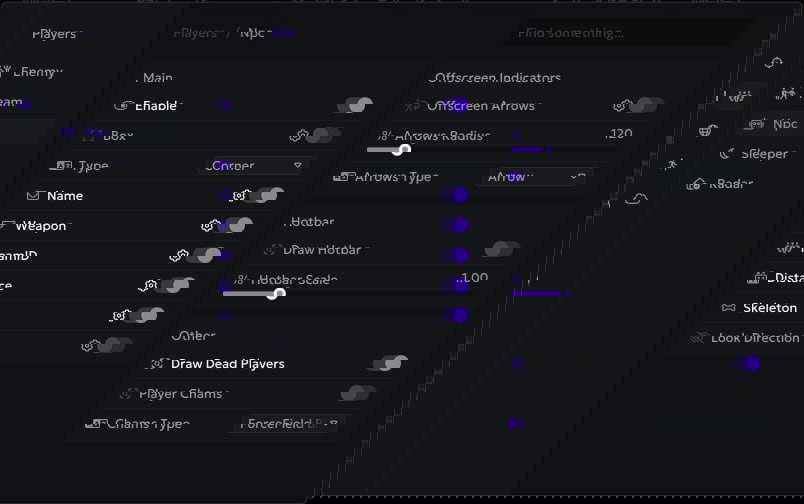
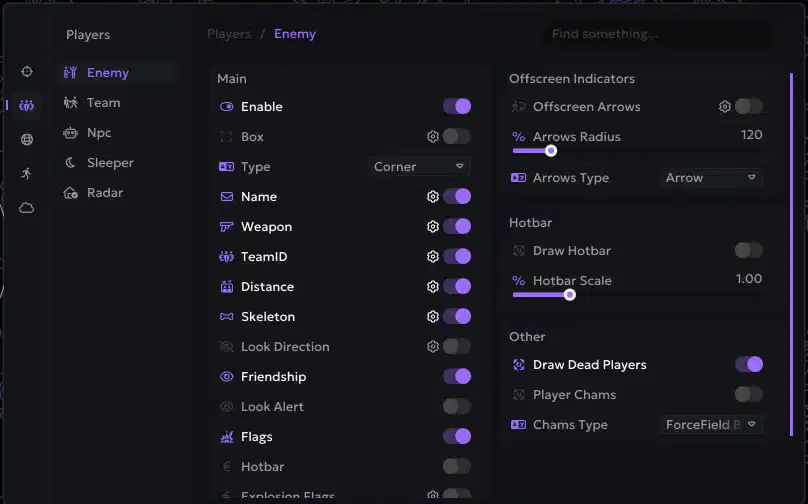
– Box ESP (Corner, Default) – WH in the form of boxes
– Players ESP – WH showing players with different visuals
– Weapon (Name, Icon) – weapon in the target’s hands, name and icon
– Name – player nicknames and NPC names
– Targets (Enemies, Teammates, NPCs, Sleepers) – separate WH settings for enemies, allies, NPCs and sleepers
– Team ID – from the player’s team, players from the same team have the same ID
– Max Distance – ESP operating range
– OOF Arrows – show players out of camera view using arrows
– Look Direction – the direction of the characters’ gaze
– Custom Colors – customize colors for all Player ESP elements
– Distance – distance in meters to ESP targets
– Radar Hack (Players, Count, Colors, Size) – radar window with various settings
– Skeleton – ESP in the form of skeletons
– Show Belt Items – show players items in hot slots
– Look Alert – warning if someone is looking at you
– Player List – display the list of players in a separate window and on the radar
– Explosive Flags – if the player has explosives, it will be shown on the screen
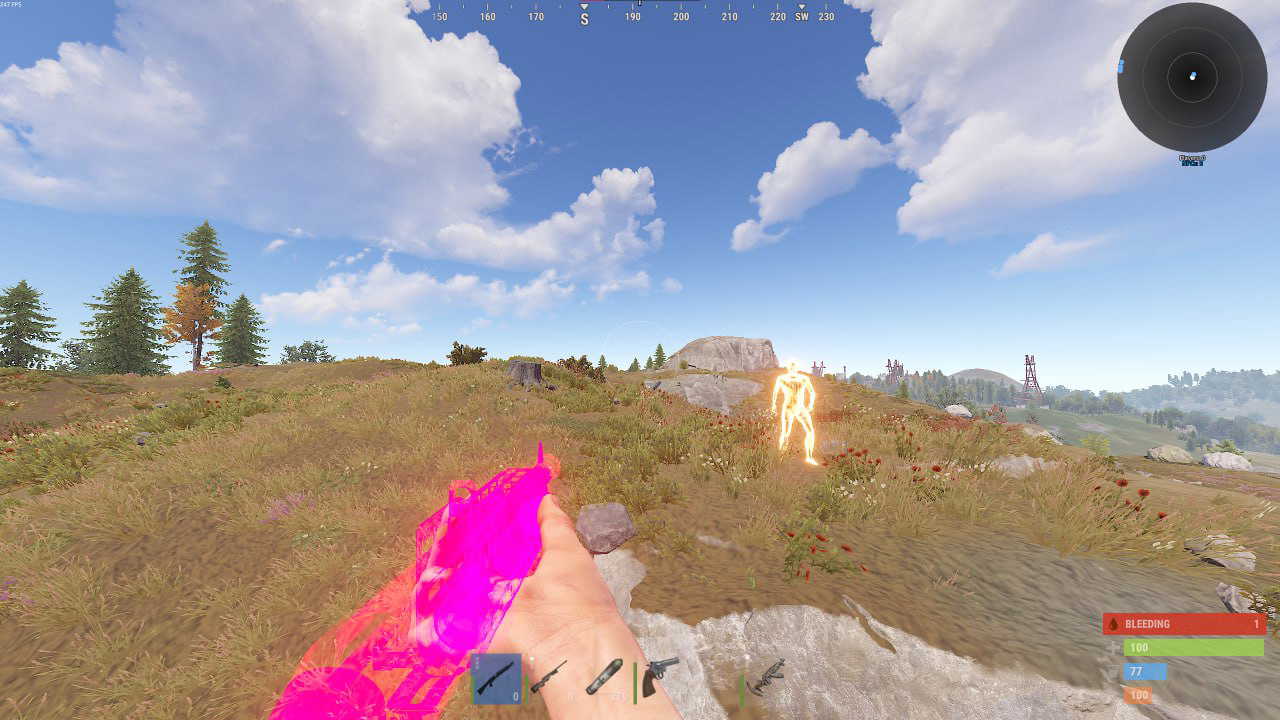
• Player Chams (14+ Styles)
– Red Glow – red glowing chams
– Targets (Enemies, Teammates, NPCs, Sleepers) – separate settings of chams for different roles of characters
– Bubble – chams with bubble texture
– Gray Glass – chams with gray glass texture
– Blue Glow – glowing blue chams
– Purple Glow – purple glowing chams
– White Electro – white shimmering electric chams
– Fire – chams with a fiery texture
– Pink – pink chams
– Electric – shimmering electric chams
– Bubble Second – Alternative Bubble Chams
– Yellow Glow – yellow glowing chams
– Yellow Glow Second – alternative yellow glowing chams
– Ghost – ghostly transparent chams
– Sun – brightly shining sun chams
• World ESP
– Enable – enable ESP for various objects
– Object Name – names of displayed objects
– Deployables (Sleeping Bag, Tool Cupboard, Small/Large Wooden Box) – deployable objects
– Crates (Normal, Military, Elite, Bradley, Heli, Locked, Basic, Advanced) – containers (chests)
– Distance – distance to resources
– Ore (Stone, Metal, Sulfur) – display of ores
– Animals (Horse, Wolf, Bear, Boar) – wild animals
– Colors – choose colors to your taste
– Traps (Turret, Gun Trap, Samsite, Landmine, FlameTurret) – various traps and turrets
– Max Distance – range setting
– Other (Dropped Items, Corpses, Supply Drop, Recycler, Tree Log, Loot Filter) – other things
– Waypoints – the ability to create your own marks on the map using cheat
– Transport (Minicopter, Chinook Heli, Rawboat, Rhib, Scrap Helicopter, Patrol Helicopter, Bradley APC, Bicycle, Motorbike)
– Raids (Timer, Object Setup) – display raids in real time
– Collectables (Hemp, Mushroom, Diesel Barrel, Berry Yellow/Blue/Red/White, Potato, Pumpkin, Corn) – collectibles in the world
• General Exploits (Misc)
– No Lower – weapons are not hidden under you when moving/near walls
– Local Chams (Hand, Weapon, Style) – local player chams
– Bright Caves – bright caves, light as in the open air
– No Bob – disable weapon sway when moving
– Last Death Position – Marks the last place of your death
– Debug Camera (Speed, Key) – the ability to switch to free flight mode, helps to inspect the bases of potential victims
– Fast Loot – allows you to quickly drag and drop items
– Change Time – ability to set any time of day
– Remove Layers – remove display of layers (water, buildings, sky, etc.)
– Bright Night – bright night mode, bright as day
– Farm Assist – help in farming, aim at the nearest X when you farm resources
– Draw Closest Bonus – Show closest X for farming with ESP
• Movement Exploits
– Force Ladder – special movement animation
– No Fall Damage – remove damage from falling from height
– Shoot In Air – the ability to shoot while jumping
– Omni Sprint – full speed running in any direction
– Infinity Jump – endless jumps
– Striptease Animation – moving with striptease animation, everyone sees it
– NoClip (Key, Speed) – free flight mode, like a debug camera, but you actually move
– No Player Collision – disables collision with players
– No Head Collision – your head goes through textures
– Fly Hack – allows you to fly
• Misc (Others)
– Chinese Translation – Switch Ancient Rust cheat menu to Chinese
– Battle Mode – enable battle mode (by pressing a key), disables all ESP except for players
– Font Style – font settings for ESP
– Panic Key – a key that will disable the cheat completely (when you are called for verification)
– Friendship (Add Friend) – allows you to add players to your friends list (show them separately, exceptions for aim)
– Aspect Ratio – Change the aspect ratio of an image in Rust
– Crosshair (Gap/Lenth/Thickness/Dot Scale) – static crosshair in the middle of the screen and its settings
Serenity – System Requirements
==================================================
WINDOWS BUILDS COMPATIBILITY
——————————
Windows 11:
✓ 25H2 (26200) – Cheat
✓ 24H2 (26100) – Cheat
✓ 23H2 (22631) – Cheat, Spoofer
✓ 22H2 (22621) – Cheat, Spoofer
✓ 21H2 (22000) – Cheat, Spoofer
Windows 10:
✓ 22H2 (19045) – Cheat, Spoofer
✓ 21H2 (19044) – Cheat, Spoofer
✓ 21H1 (19043) – Cheat, Spoofer
✓ 20H2 (19042) – Cheat, Spoofer
✓ 2004 (19041) – Cheat, Spoofer
✓ 1909 (18363) – Cheat, Spoofer
✓ 1903 (18362) – Cheat, Spoofer
✓ 1809 (17763) – Cheat, Spoofer
✓ 1803 (17134) – Cheat, Spoofer
✓ 1709 (16299) – Cheat, Spoofer
✓ 1703 (15063) – Cheat, Spoofer
✓ 1607 (14393) – Cheat, Spoofer
✓ 1511 (10586) – Cheat, Spoofer
✓ 1507 (10240) – Cheat, Spoofer
OTHER REQUIREMENTS
——————————
Cheat Type: External
Processor Support: Intel & AMD
Window Modes: Full Screen, Windowed, Borderless
Supported Platforms: Steam
Built-in Spoofer: Available